Entrance animations are no longer limited to individual elements. You can now apply entrance animations directly to Sections, Rows, and Columns. The builder automatically sequences animations hierarchically as visitors scroll, giving your pages a polished, intentional reveal without manual timing calculations.
The Problem
Previously, animating a page meant setting up animations and timing delays by hand for every single element. Adding, removing, or reordering elements broke the entire sequence, requiring manual recalculations. Additionally, there was no straightforward way to animate entire layout structures like a full section or column container.
What's New
- Layout Block Support: Apply entrance animations directly to Sections, Rows, and Columns.
- Expanded Animation Library: Includes new and updated categories:
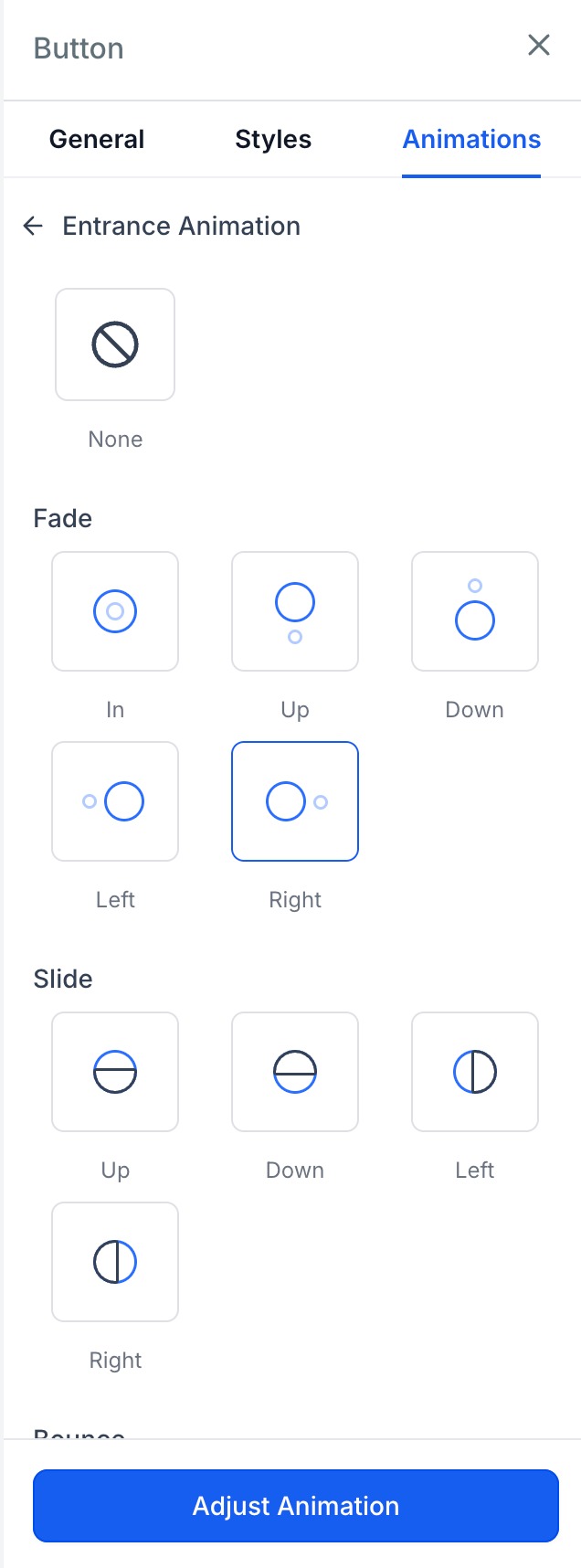
- Fade: In, Up, Down, Left, Right
- Slide: Up, Down, Left, Right
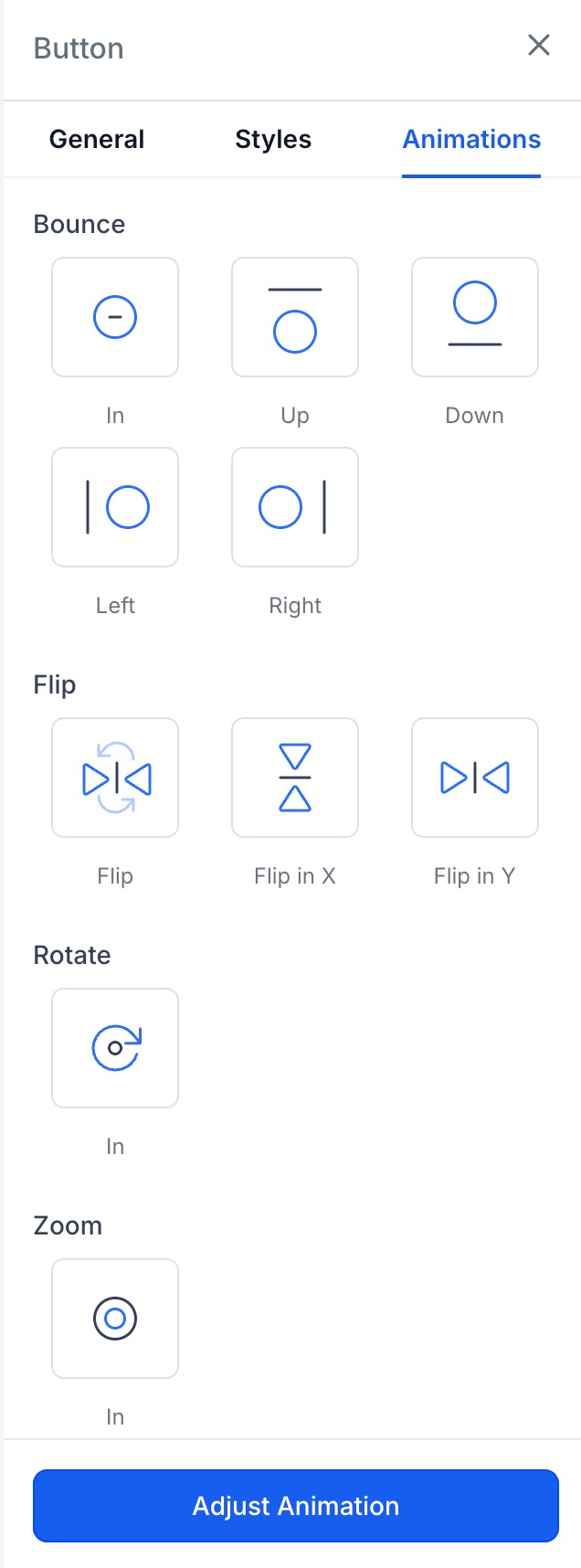
- Bounce: In, Up, Down, Left, Right
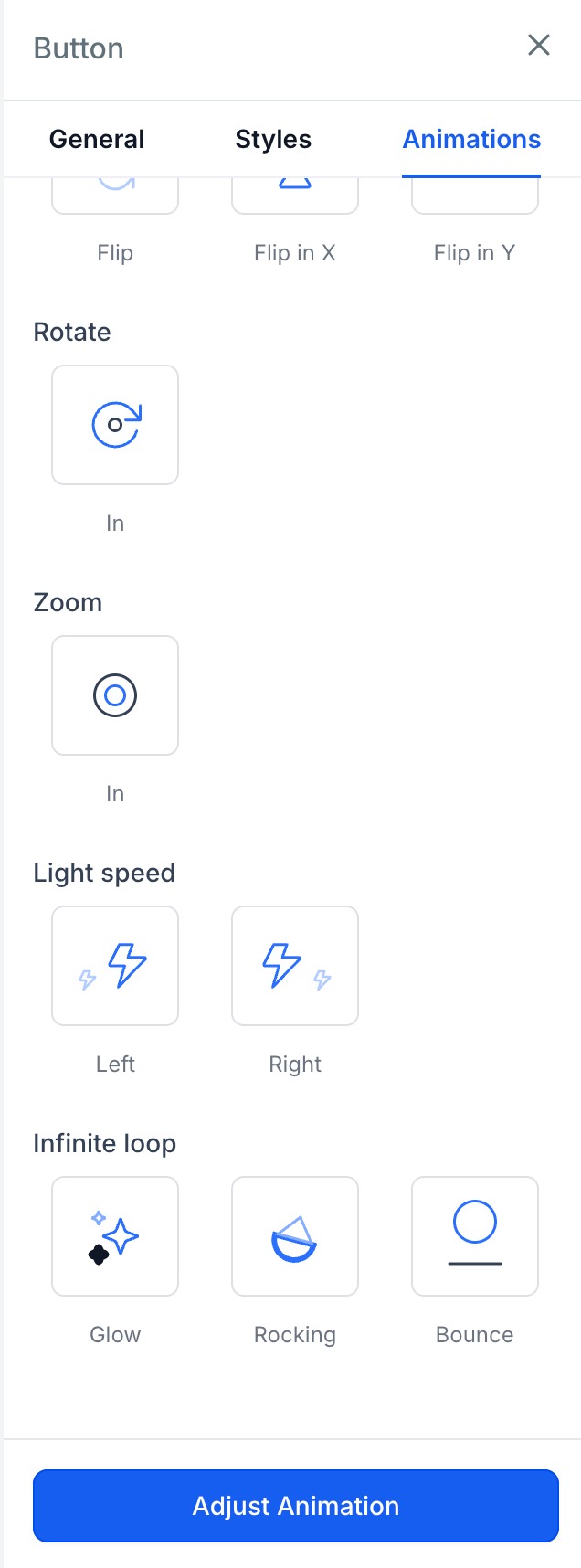
- Flip: Flip, Flip In X, Flip In Y
- Rotate & Zoom: Rotate In, Zoom In
- Special Effects: Light Speed (Left, Right), Infinite Loops (Glow, Rocking, Bounce)
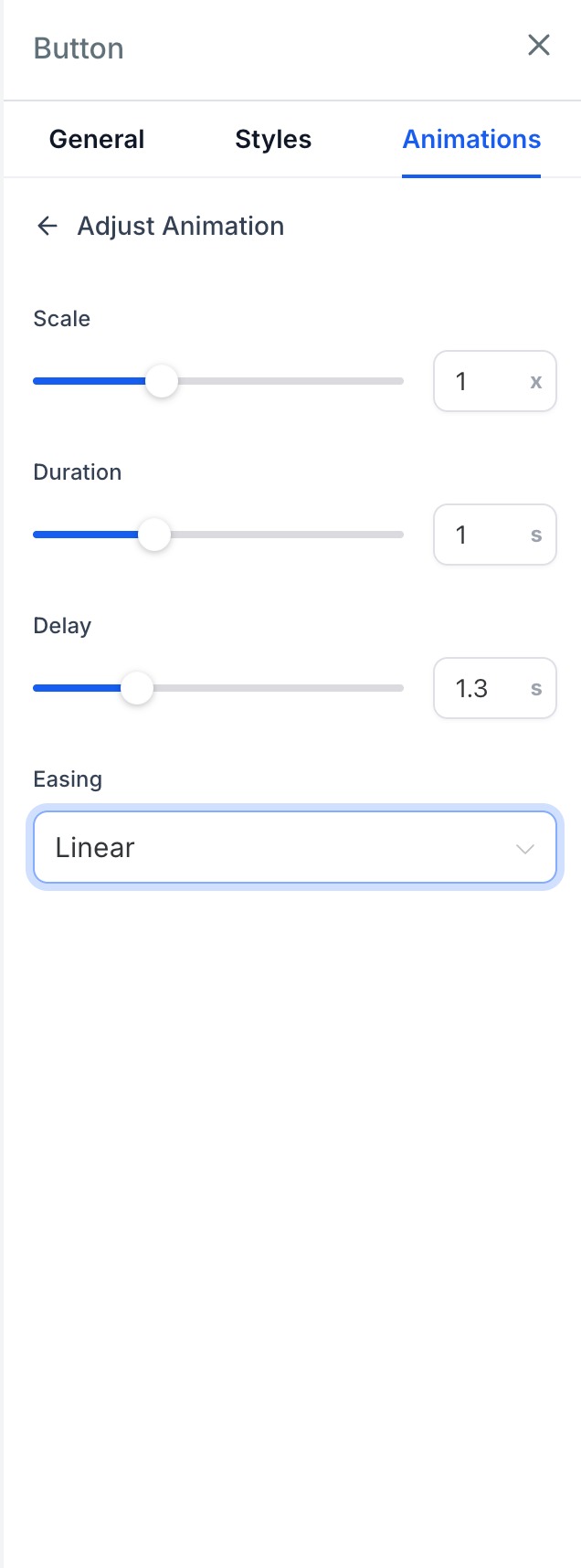
- Custom Entrance Tuning:
- Duration: 0.1s to 3s
- Delay: 0s to 5s
- Scale: 0.5× to 2×
- Easing: Linear, Ease-in, Ease-out, Ease-in-out
- Live Hover Previews: Hover over any animation option in the sidebar to preview it live on the selected canvas block before committing.
- Automatic Sequencing: Blocks animate seamlessly in hierarchy (Section → Row → Column → Content). Each element automatically waits for its parent container to finish animating.
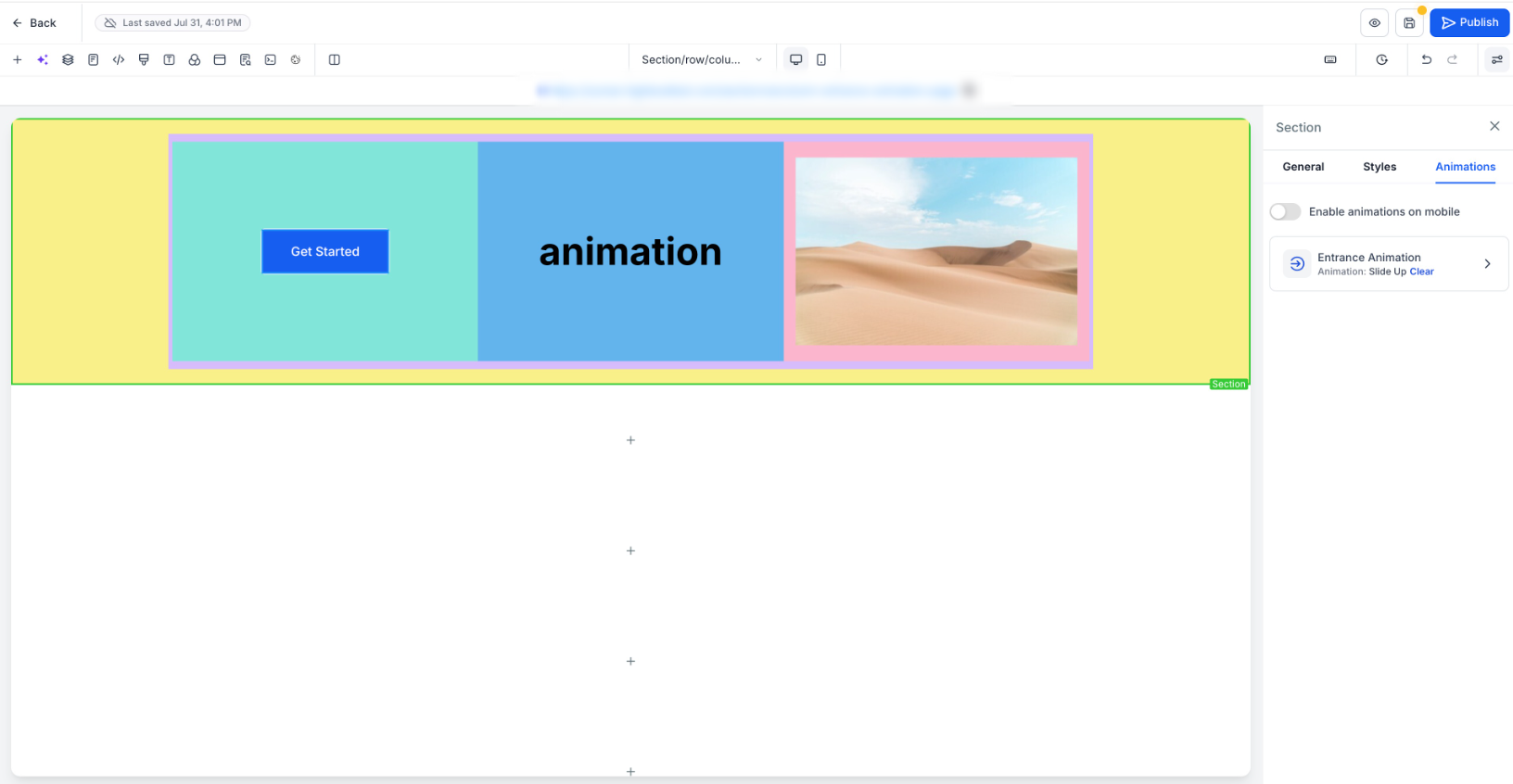
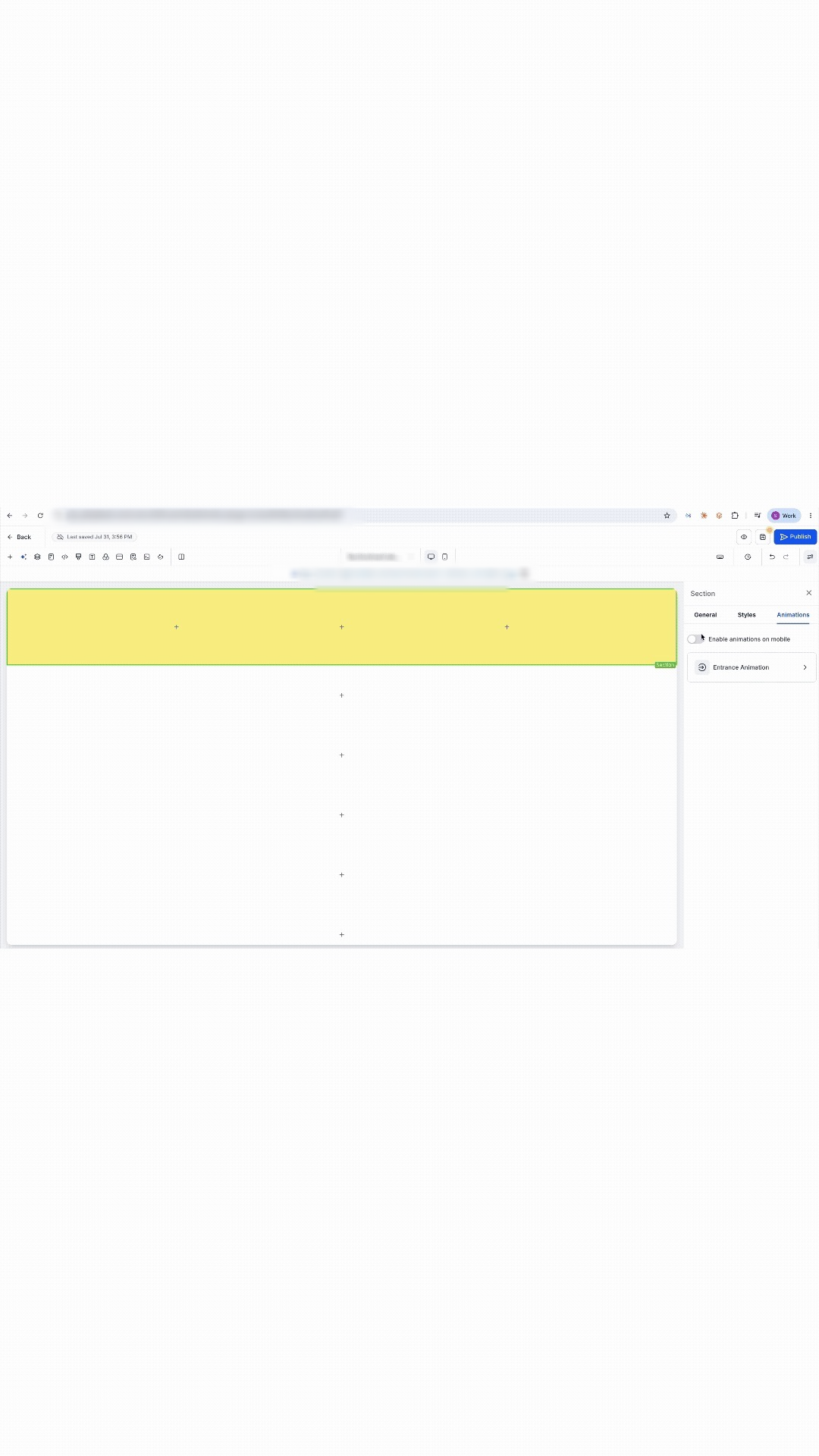
- Mobile Control: Motion is disabled on mobile by default to preserve performance. Enable it per block via the new Enable animations on mobile toggle. Remaining animated blocks auto-sequence around disabled ones.
How to Use it
- Select any Section, Row, or Column on the builder canvas.
- Open the Animations tab in the sidebar and select Entrance Animation.
- Hover over any animation card to preview the effect live on your selected block.
- Select your desired animation style.
- Fine-tune settings such as Duration, Delay, Scale, and Easing.
- (Optional) Toggle Enable animations on mobile if you want the effect to play on mobile devices.
Impact
- Zero Math Required: Automatic sequencing eliminates manual delay calculations and custom CSS.
- Layout Resilient: Reordering or editing blocks automatically updates the sequence without breaking animation timing.
- Scroll-Triggered: Motion triggers only when elements scroll into view.
- Backward Compatible: Existing published pages automatically benefit from updated sequencing logic without requiring a re-save.
Where to Find It
Go to Page Builder -> select a Section, Row, or Column -> open the Animations tab in the sidebar.
Was this article helpful?
That’s Great!
Thank you for your feedback
Sorry! We couldn't be helpful
Thank you for your feedback
Feedback sent
We appreciate your effort and will try to fix the article